
Chung
Ambassador
Upcoming Matches
Teams

Transfers
- Joined rocket ballers on Tue Nov 4 06:15:21 2025
- Joined Test on Wed Oct 29 21:17:50 2025
- Left TLX on Wed Oct 29 21:17:41 2025
- Joined TLX on Mon Oct 27 23:55:49 2025
Chung has played in 3 leagues:
United Dodgeball League Season 1
- Joined rocket ballers in NA on Fri Feb 20 04:55:12 2026
- Joined rocket ballers in EU on Wed Nov 5 14:05:10 2025
- Joined Test in EU on Wed Oct 29 21:18:04 2025
| Total Matches | 2 |
| Total Kills | 8 |
| Total Deaths | 24 |
| Total Deflects | 56 |
| Average Kills per Match | 4.0 |
| Average Deaths per Match | 12.0 |
| Average Deflects per Match | 28.0 |
| Total Time Alive | 7.87 minutes |
| Match | Kills | Deaths | Deflects | Time Alive | K/D Ratio |
|---|---|---|---|---|---|
| Match #406 | 6 | 6 | 25 | 2.07 min | 1.0 |
| Match #308 | 2 | 18 | 31 | 5.8 min | 0.11 |

Your upcoming match page should look like this.
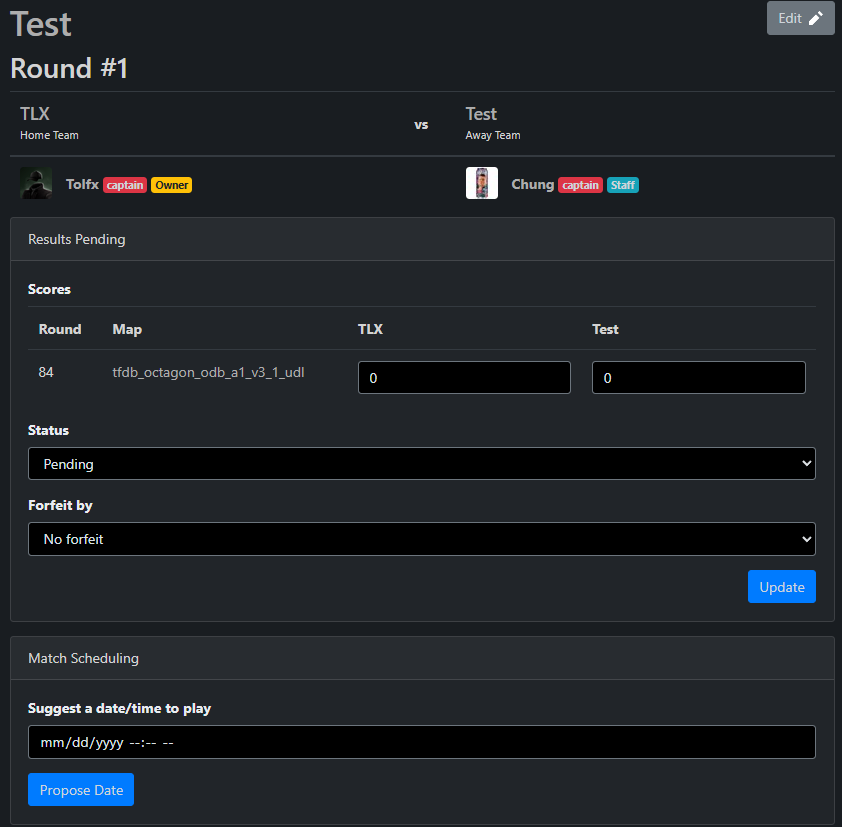
Below "Match scheduling," you can suggest a date and time that works for you and your team.
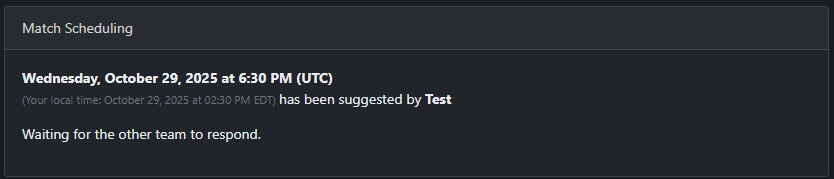
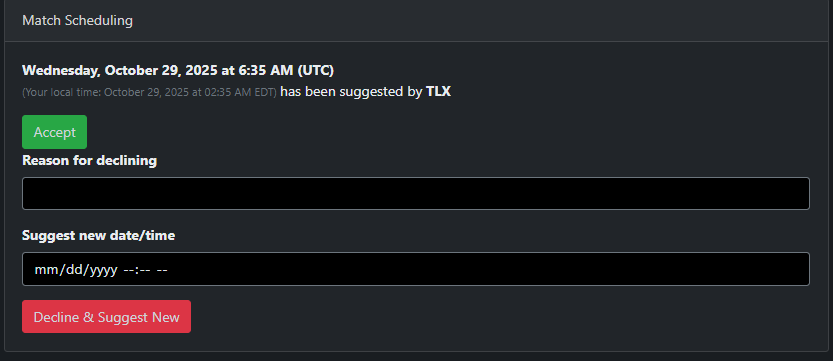
Once you accept it, the suggested time and date will be sent to the enemy team. From there, they can either accept or decline and suggest a new time; however, if you decline the proposed time, you must provide a valid reason.
When both teams accept the suggested time and date, it will look like this.

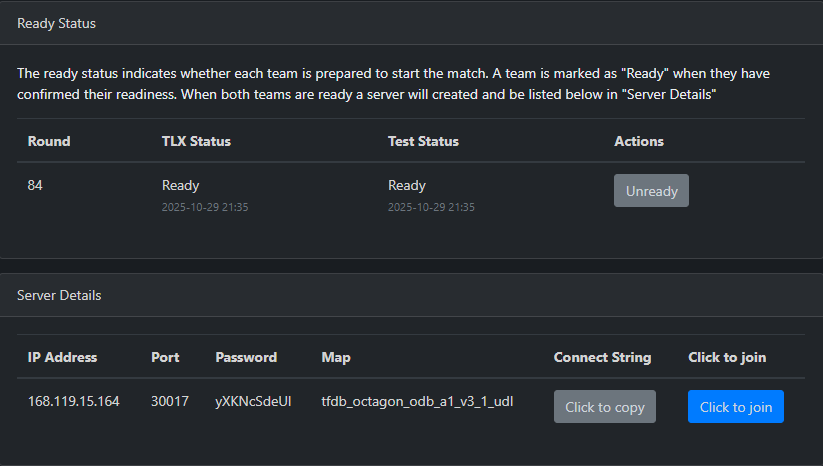
When it's finally time for the match, both teams must ready up, which will also show when they're ready in case the 15-minute rule needs to be used on unresponsive teams.
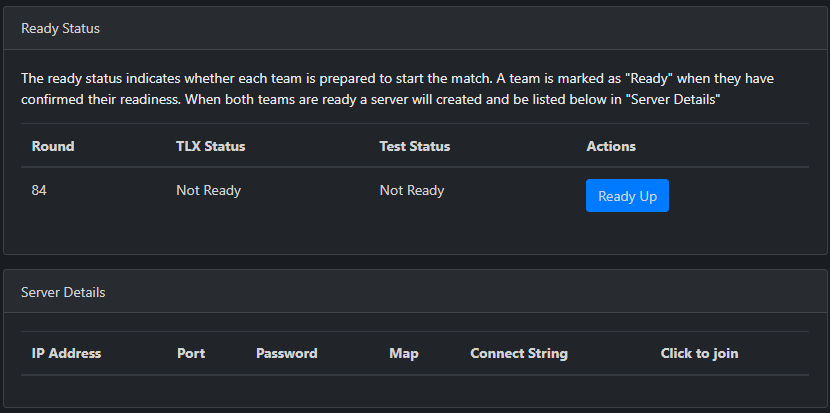
Once both teams are ready, a server will be automatically created for the match. This process takes a bit, so give it some time. However, both teams will get a notification at the top right once it's ready.
Once the brackets are published, you and your teammates will get a notification about an upcoming match. To check it out, click the bell in the top-right corner of your screen. Clicking the notification itself takes you to the match page, where you'll see your team and the enemy team.
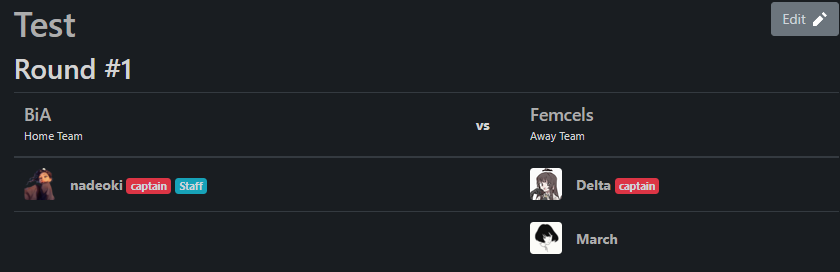
From there, you can access player profiles and match communication.
When you reach the playoffs, pick-and-ban maps will be available here.
This has to be done after you have started your team.
Once you have started a team, go to the Leagues tab and click the league you want to play in. Click “Sign up” to sign up your team.
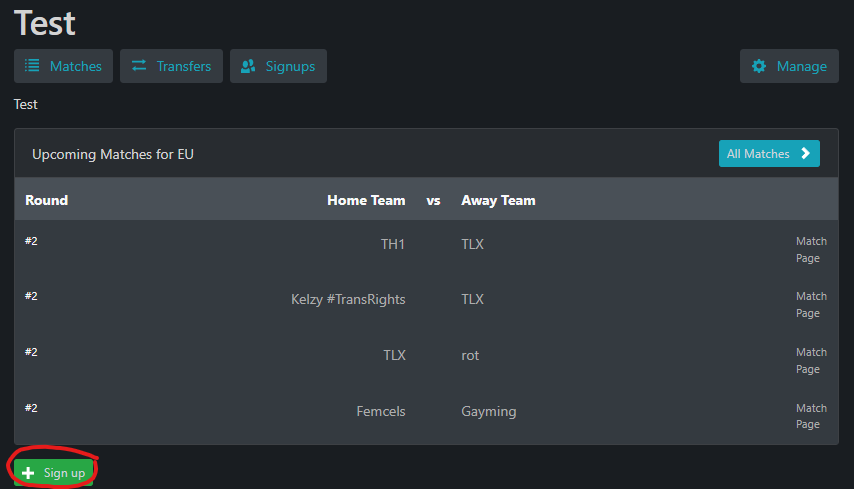
To do this, you'll need to sign your team up for the league.
Go to your team page and click on the settings icon.
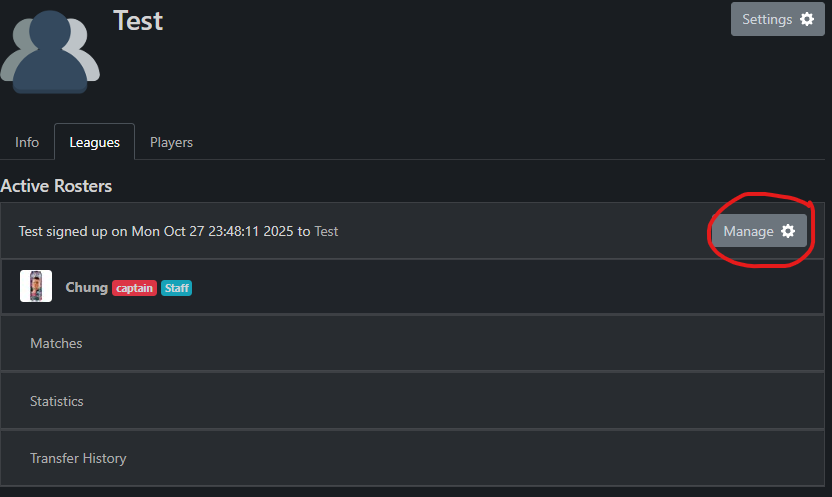
Afterwards, scroll down until you see you and your teammates.

Now you can request which player you want transferred, and an admin will either accept or deny the request.
If the enemy team isn't responding to match communications, try contacting them via Steam or Discord. If this does not work, contact an admin for further assistance.